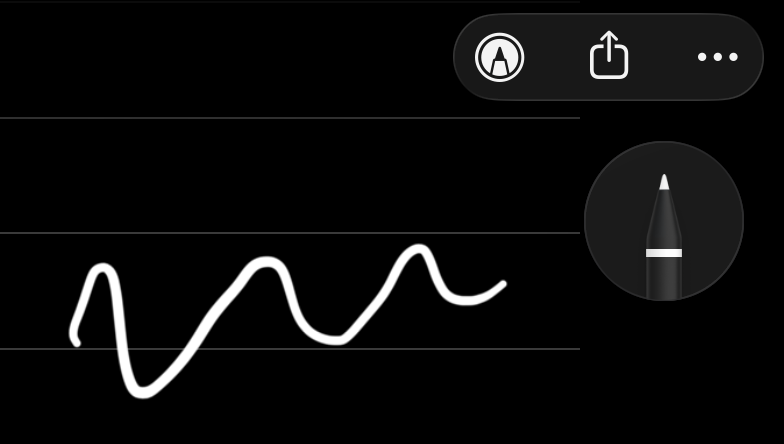
Still not fixed.
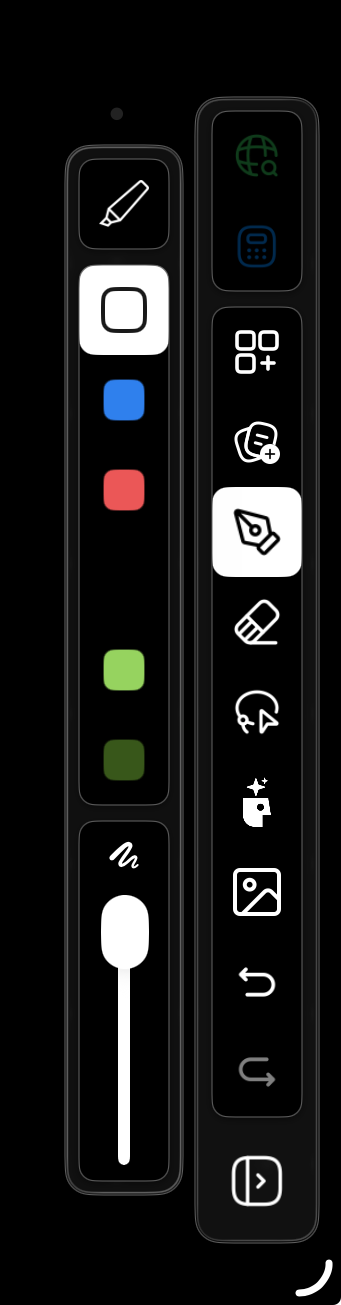
Hi Liam, thanks for the quick response. I’ve updated to the latest build, but the issue persists. To answer your question first: I believe following Apple’s intended behavior (where strokes adapt to the mode) is the best approach. However, for that to work, the UI needs to match the output. The Core Issue: The problem isn't just about "default" vs "custom" pens; it’s a disconnect between the Tool Picker UI and the Canvas output. If the app automatically lightens a color for visibility in Dark Mode (which is good behavior!), the pen icon/swatch in the toolbar must also update to show that lighter color. Right now, there is a mismatch: 1. Black/White: Even if I select the White pen icon, it is drawing Black (invisible) ink on the dark canvas. 2. Color Inversion: I noticed this affects other colors too. For example, if I select a Dark Green pen icon, it draws Light Green ink on the canvas. Suggestion: The logic to adjust ink contrast for Dark Mode is fine, but the tool picker icons need to dynamically update to reflect the actual color that will be put on the page. In Apple Notes, when you toggle Dark Mode, the palette colors visually shift to pastel/lighter versions so the user knows exactly what ink they are selecting.
Hi Noel and Rushil, Appologies this is my fault for announcing a release early. We intended to release the a new build but had to be postponed last minute because of some usability problems. We are still working on the fix but we hope we have further addressed your concerns in the meantime. We actually started using the default settings that apple notes uses, this is what caused the sort of inverse colour. In our latest version (release still pending) we have overrriden this behaviour and allowed you full control over the colours you pick. We just added a default colour that flips when you change your mode from black to white and vice versa
Thanks for the feedback Noel, we have just built a fix for this to be released today. Do you have any thoughts on how the pen should work. Our assumption was the following. We have a default pen that flips colour depending on the surface colour it’s being drawn on. Eg white binder page or dark mode canvas colour etc. and then if a user creates a custom white or black pen we do not change their intended stroke colour. However we could have implemented this so that all white and black strokes switch when dark mode is toggled. This is apples intended behaviour and our previous implementation. What are your thoughts?